One commandNo logoutSame session
~/code/storefront ❯
Instant switching
Move a running Claude Code or Codex session to another account. The conversation comes with it.
The CLI does the work. The desktop shows all of it. csm keeps every account in its own profile, moves running sessions between them and recovers from usage limits. CSM Desktop puts every agent in one window, with approvals, handoffs and a menu bar that keeps watch.
See how it worksThe csm CLI is the engine: profiles, switching, failover and handoffs. CSM Desktop is a client of the same local service, so whatever happens in one shows up in the other.
Move a running Claude Code or Codex session to another account. The conversation comes with it.
On a usage limit, csm saves a checkpoint, switches to the next ready account and resumes.
payments/charge.go, payments/retry.gofeature/checkout-retry · 2 changedHand a task to another agent with a brief: goal, progress, next steps, files and the exact git state.
One list of every session, started in the app or with csm in a terminal, across projects and providers.
npm test -- paymentsClaude Code’s shell commands wait for your OK in the app or the menu bar panel. Destructive ones need a second click.
Turn one request into a plan, isolated tasks, checks and a reviewed pull request description. AutoFix does it for Sentry errors.
Start and stop agents, switch accounts, approve commands, hand tasks between agents and watch CSM’s failover decisions, in one window you can leave open all day. The same screens run in your browser as the web dashboard.
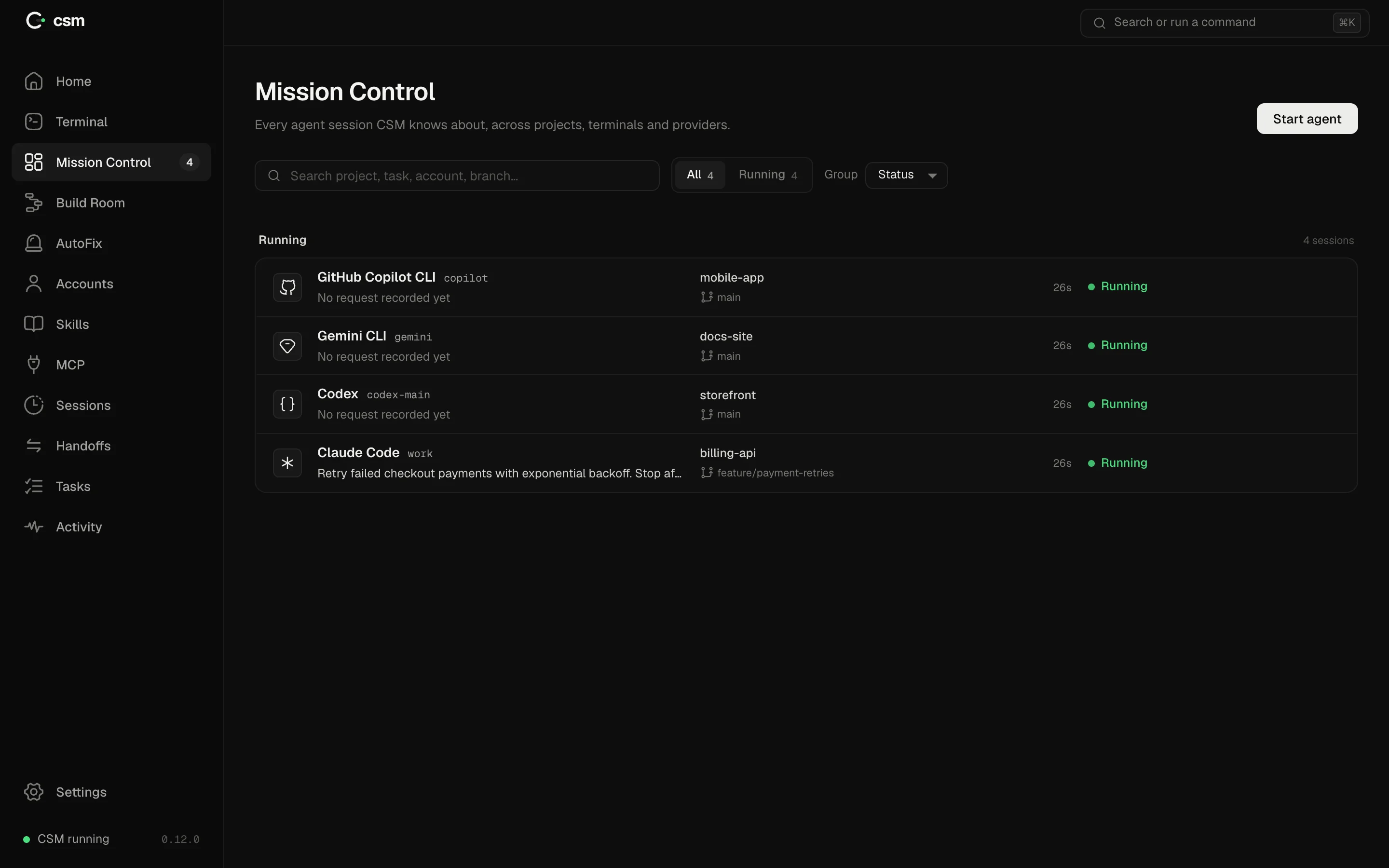
Agents started in the app and with csm in a terminal, across every project and provider. Each row shows the account, branch, last request and a status CSM can actually observe.
Real screens from the CSM Desktop interface, shown in the web dashboard with demo accounts and csm’s test agents.
Claude Code, Codex, Gemini CLI and GitHub Copilot CLI.
csm next in the terminal, or one click in CSM Desktop. The running session moves with you.
No tokens, cookies or Keychain entries, in the CLI or the app. Logging in stays the agent’s own flow.
In the terminal, csm checkpoints, switches and resumes. On the desktop, Mission Control shows the switch and the menu bar tells you.
“csm moved this session from account "work" to "personal" (manual_switch). The conversation above is intact.”
csm next · csm v0.12.0